
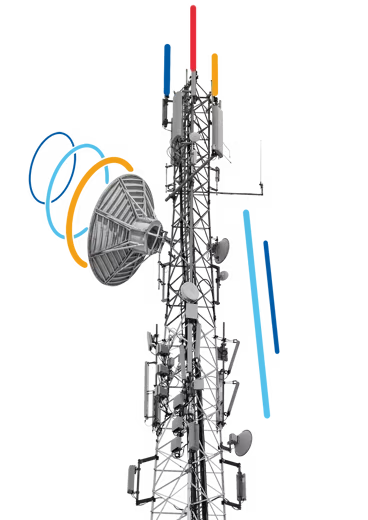
Mobile networks
With 56% of pay-monthly mobile subscriptions in the UK on SIM-only deals (Ofcom 2024), operators don't necessarily have first-hand access to users' device data.
51Degrees solves this issue with advanced multi-modal device detection, using its proprietary TAC device database and User-Agent mapping to help operators understand details about the devices on their networks.
Use 51Degrees for telecoms and handsets
TAC database for telecoms
51Degrees uses two powerful tools to help mobile operators better understand the devices on their network:
A TAC (Type Allocation Code) is the first eight digits of a mobile device's 15-digit IMEI number and identifies the device model information. While this can tell you the hardware being used, the information provided by the TAC itself is limited. 51Degrees' TAC database maps all significant, active devices' TACs worldwide and provides rich additional data about them, from details of the OS, browser, and software configuration through to the handset's value and age.
51Degrees' User-Agent detection can identify devices without TAC numbers, either non-SIM devices accessing a mixed network or potentially handsets accessing mobile networks via Wi-Fi. The User-Agent can tell you the device type, hardware capabilities, and software configurations.
Over 2%
of TAC data is duplicated across different devices.
Relying on TACs alone can provide inaccurate data. 51Degrees has mapped all duplicate TACs and can resolve a specific TAC to its actual devices.
Together, 51Degrees' TAC and User-Agent device detection capabilities can help mobile operators to get transparency and understanding of devices on their network. This can be used in a number of ways:
- Network optimization and planning. If you understand the devices on your estate you can optimize performance at a granular and global level, taking into account the specific hardware and software capabilities of each. This insight also provides valuable information for strategic network planning, for example by telling you how many legacy devices are connected to your network ahead of spectrum reallocation.
- Marketing. If you understand user devices at a granular level you can target your marketing more effectively, identifying users with a strong upgrade need or those that have a usage profile out of line with their device.
- Insurance and device validation. If you understand precisely what device a user is on you can validate that information for specific services such as insurance. If someone is using an iPhone 13 then you can ask questions when they claim for a 17!
Our customers
51Degrees works with major mobile operators worldwide to help them identify and understand the devices being used on their networks in real time. As well as the basic hardware profiles being used, 51Degrees provides augmented device insight covering everything from OS and device age to price at launch and multimedia capabilities.


2 ways to use device data in your network
Check the hardware behind an IMEI
The TAC is the first eight digits of the IMEI. Look up the full hardware specification behind it, check the insured or traded device is the model the paperwork claims, then price policies, payouts, and plans on what the device is really worth.
Who it serves. Mobile networks, device insurers, and trade-in platforms.
Pairs well with Spot the fake, to verify a device, then see what it is worth.
Integration time. 30 minutes with TAC lookup.
Ingredients, 10
- TAC
- HardwareVendor
- HardwareModel
- HardwareName
- NativeBrand
- NativeModel
- ReleaseYear
- ReleaseAge
- HardwareRank
- PriceBand
Hero ingredient. TAC The TAC identifies the model behind the IMEI, even where software detection can't tell models apart.
- Take the TAC, the first eight digits of the IMEI
- Look up the full hardware specification behind it
- Check the device is what the paperwork claims
- Price policies, payouts, and plans on real device value
Chef's tip. Check the price band and release year against what the paperwork claims.
Send each device only the bytes it needs
Classify each device where the traffic lands. Match image and video variants to its real screen and the codecs it decodes, then trim what you send to fit the connection type.
What changes. You send fewer bytes, so pages load faster and delivery costs less.
Who it serves. Telcos, CDNs, and hardware platforms optimizing delivery.
Pairs well with The perfect stream, to choose the stream for each device. Light menu for low-end devices does the same for pages.
Integration time. One sprint at the edge.
Ingredients, 11
- DeviceType
- ScreenPixelsWidth
- ScreenPixelsHeight
- PixelRatio
- DeviceRAM
- CPU
- CPUCores
- HardwareVideoCodecsDecode
- BrowserVideoCodecsDecode
- WebP
- ConnectionType
Hero ingredient. HardwareVideoCodecsDecode Send video in a codec the device's chipset decodes in hardware.
- Classify each device where the traffic lands
- Match image and video variants to the real screen and codecs
- Trim what you send to fit the connection type
- Send fewer bytes to every device
Chef's tip. Start with the screen and the codecs, then trim what you send to fit the connection type.
Start with the network problem you want to solve
Each recipe explains the business use, followed by the properties and steps your developers need. It also includes a link to create a Resource Key.