
If your app already reads an MMDB file, you know the pattern. One library, one lookup call. The file might come from MaxMind GeoLite2 or IPInfo, but the code is identical either way.
51Degrees IP Intelligence is a drop-in replacement, built for the Internet as it is today, not the one we had in 2010. You get a per-address LocationConfidence rating, sharper resolution on the addresses that actually matter, and a rich set of insightful properties. And you don't have to throw away what you've already written. The migration is five edits, plus one swapped dependency.
See it for yourself.
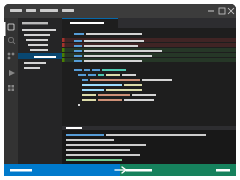
The clip is a Visual Studio Code mock-up of the migration. Scene 1 is a working MaxMind demo app running against three IP addresses. Scene 2 transitions show the five edits a developer makes to switch to 51Degrees. Scene 3 is the same CLI running on the same three addresses, now reading a 51Degrees .ipi data file.
Watch out for; the imports at the top, the try (... .build()) block in main(), and the lookup() body where the property accessors get swapped. The labels in the terminal output stay almost identical.
The example shown is in Java, but the same five-edit pattern applies to our other SDKs.
The five steps, in order
- Imports.
com.maxmind.geoip2.*packages come out.fiftyone.ipintelligenceand a fewfiftyone.pipelineclasses go in. - Data file. The path string changes from
GeoLite2-City.mmdbto a 51Degrees.ipifile. Nothing else about loading the file changes; the builder hides it. - Builder. A one-line
new DatabaseReader.Builder(...).build()becomes the fluentnew IPIntelligencePipelineBuilder(). The performance profile is the lever you use to trade memory for speed:.useOnPremise(...) .setPerformanceProfile(...) .build() LowMemoryin the demo, since the enterprise data file is multi-gigabyte. - Lookup signature. The
lookup()helper takes aPipelineinstead of aDatabaseReader. One token swap. - Lookup body. Wrap the call in
try (FlowData data = pipeline.createFlowData()), calladdEvidence("server.client-ip", ip)anddata.process(), then read properties off theIPIntelligenceDataobject. The labels in yourprint()calls stay the same: Country, City, Region, Lat/Lon, Accuracy, Timezone. The accessors change; that's the work.
One more thing: the Maven dependency
The video doesn't show your pom.xml, but you'll need to swap one artifact. The change is the same whether you're starting from a MaxMind MMDB or an IPInfo MMDB. They both use com.maxmind.geoip2:geoip2 today.
<!-- before -->
<dependency>
  <groupId>com.maxmind.geoip2</groupId>
  <artifactId>geoip2</artifactId>
  <version>4.2.0</version>
</dependency>

<!-- after -->
<dependency>
  <groupId>com.51degrees</groupId>
  <artifactId>ip-intelligence</artifactId>
  <version>4.5.34</version>
</dependency>
That one artifact pulls in our IP Intelligence engine, the on-premise data file reader, and the Pipeline API. Nothing else to wire up.
The new line in the output
The 51Degrees run picks up an extra Confidence line on every lookup:
=== 170.84.93.1 ===
  Country    : Brazil (BR)
  City       : Boqueirão do Piauí
  Region     : Piauí
  Lat/Lon    : -4.477, -42.106
  Accuracy   : 51 km
  Confidence : High
  Timezone   : UTC-03:00
It comes from a single new line in lookup():
print("Confidence", str(d.getLocationConfidence()));LocationConfidence is a 51Degrees property. It tells you how much trust to place in the returned location. In production, you use it to decide whether to act on the result, ask the user, or fall back to a less precise signal. We know what we don't know. We tell you, every time.
Three lookups, side by side
The terminal shows three real lookups. Tap the links to see all the available information for each.
170.84.93.1
88.249.213.104
1.141.20.192
Three addresses is a sample, not a long term study. For a head-to-head comparison, see our IP Intelligence comparison page.
Try it on your own data
Want to run this against your own traffic? Examples are available for all common use cases. The full set of language SDKs sits under github.com/51Degrees. Java examples can be found at ip-intelligence-java-examples. Property names and accessors are documented in the property dictionary.
The free on-premise data files are available on GitHub.
Need an enterprise .ipi data file to trial? Get in touch. We'll set you up.